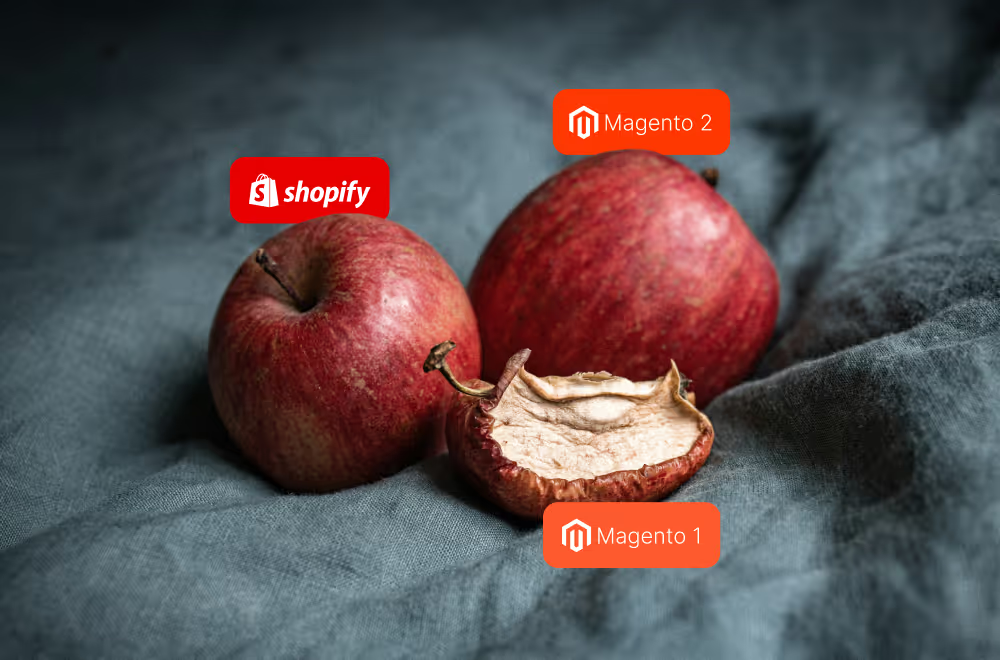
Two storefronts. Same product catalog. Same region. Different warehouses. Independent inventory availability per storefront.

Shopify Markets does not solve this - it manages domains, languages, currencies, and pricing, but inventory availability is still governed by the store's shared fulfillment model. Fulfillment zones do not help when both storefronts operate in the same region. What looks like a market setup question quickly becomes a platform architecture question, because inventory availability affects not just checkout but search, filters, recommendations, product pages, and every app that depends on stock data.
The Cleaner Shopify-Native Answer: 2 Independent Stores
Shopify is not designed as a native multi-store platform in the way that Magento Open Source or Adobe Commerce are. It does not have a shared inventory model that can be partitioned per storefront inside a single instance.
For merchants who need two storefronts with independent inventory linked to different warehouses, the cleanest Shopify-native path is to set up independent Shopify stores.
Each storefront gets its own Shopify store and its own inventory. The product catalog can still be synchronized across both stores, but stock levels are managed separately inside each one.
Pros
Native Shopify functionality continues to work correctly across both storefronts. Search, filters, product recommendations, apps, and checkout behavior do not require custom development to account for split inventory logic.
Each storefront also has a cleaner operational model. Inventory, fulfillment rules, app configurations, and checkout settings are managed inside the store they belong to. There is no custom logic bridging two inventory pools inside one store.
Cons
This setup means duplicating almost everything. Integrations, app subscriptions, maintenance, QA processes, reporting, and operational workflows all exist twice. For merchants not on Shopify Plus, it also means two separate Shopify subscriptions.
Mitigation
The duplication overhead can be managed by centralizing the parts that should not be maintained separately.
A PIM centralizes product information and pushes catalog data into both stores. A DAM centralizes media assets. ERP, WMS, or middleware platforms sync inventory and operational data into the correct Shopify store, so teams are not managing stock manually across two instances.
In this model, Shopify remains the system that powers each storefront. The external systems keep the two stores aligned without requiring teams to operate everything in parallel.
If the Business Needs to Stay on One Shopify Store
There are legitimate reasons a merchant may need to stay on one store: cost, existing integrations, simpler consolidated reporting, or a catalog small enough that custom logic is still manageable.
Three approaches are commonly used. None of them is a clean native solution. All of them introduce custom logic around a problem Shopify does not natively model inside a single store.
The core limitation is the same across all of them. Shopify operates on a shared store-level inventory model by default, which means native functionality - search, filters, product recommendations, and third-party apps - may need heavy customization or partial rebuilding when inventory is split.
Option 1: Metafields and Shopify Flow
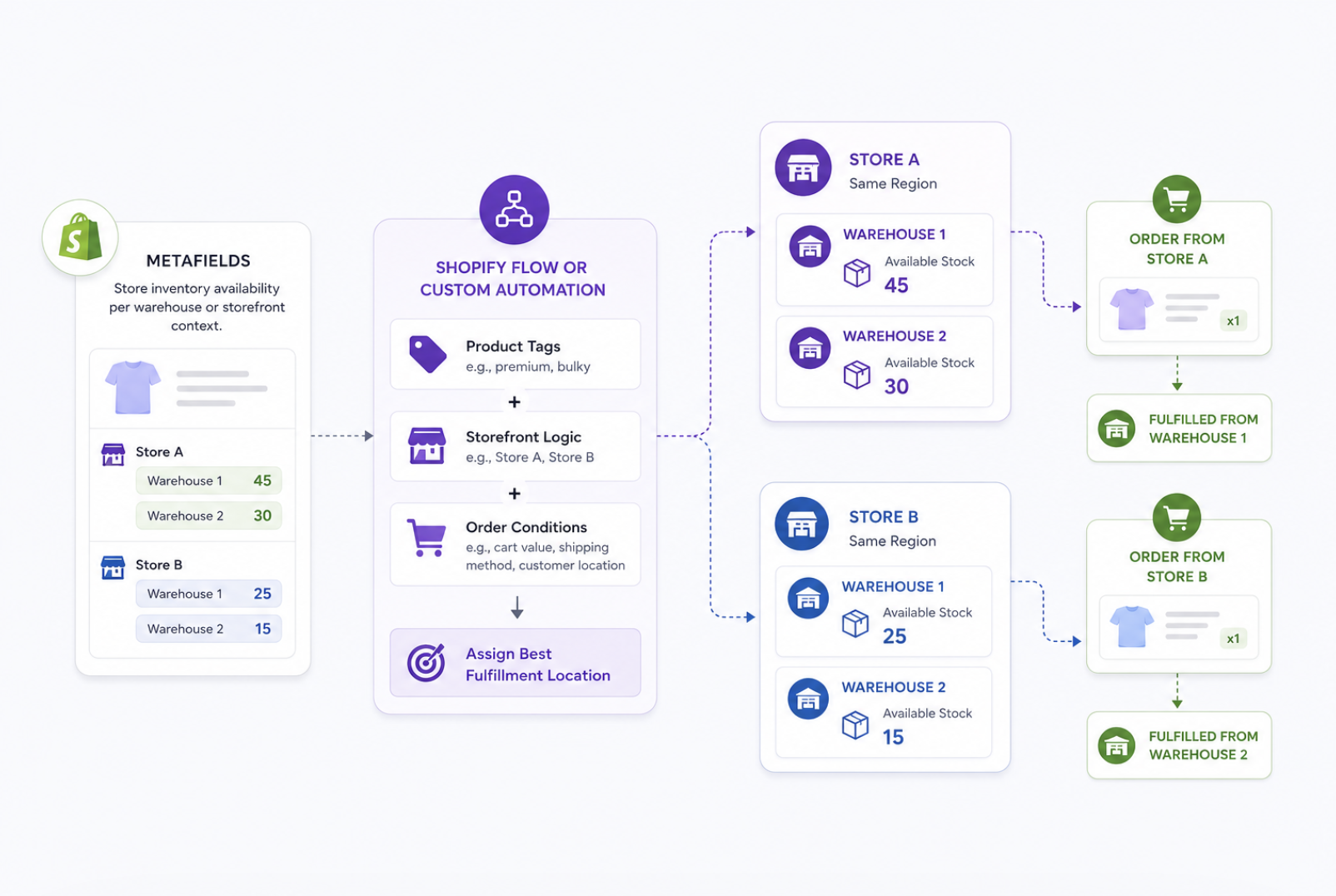
Metafields store inventory availability per warehouse or storefront context. Shopify Flow or custom automation then assigns fulfillment locations based on product tags, storefront logic, or order conditions.
Pros
Smaller catalogs with limited fulfillment complexity. It keeps the merchant on one store and avoids duplicating the product catalog.
Cons
As the catalog grows, every new product, warehouse rule, fulfillment scenario, and storefront condition adds another layer to the logic. Shopify's native search, filters, and recommendations do not automatically understand a custom inventory model built on metafields, so those surfaces require additional handling.
Option 2: Two Products per SKU with Markets
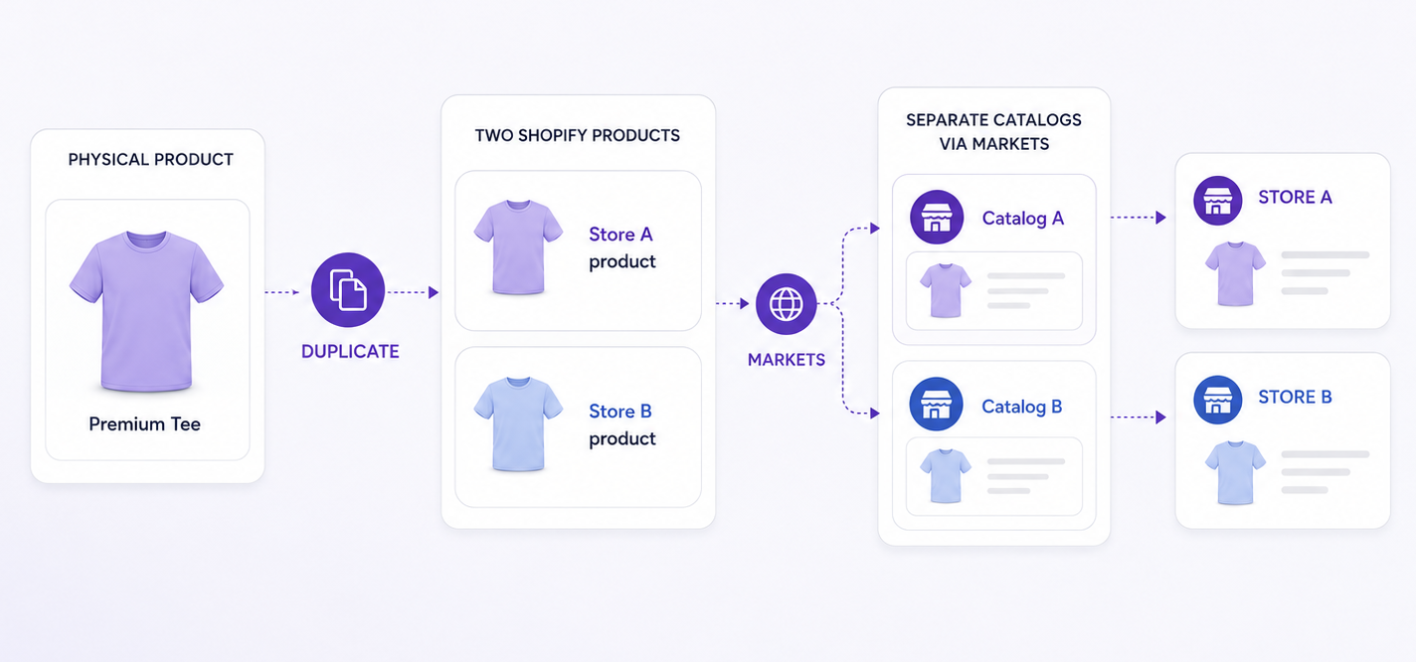
Each physical product becomes two Shopify products - one per storefront - with separate catalogs configured through Markets.
Pros
Each storefront gets its own product version, so search, filters, and recommendations can continue to function more naturally. Shopify treats the products as distinct items with distinct availability.
Cons
Every real product becomes two Shopify products. Product content, pricing, images, SEO, URL redirects, reviews, analytics, merchandising logic, and integrations all have to be managed at double the volume. As the catalog scales, this becomes an increasingly difficult data governance problem.
Option 3: External Inventory Source of Truth
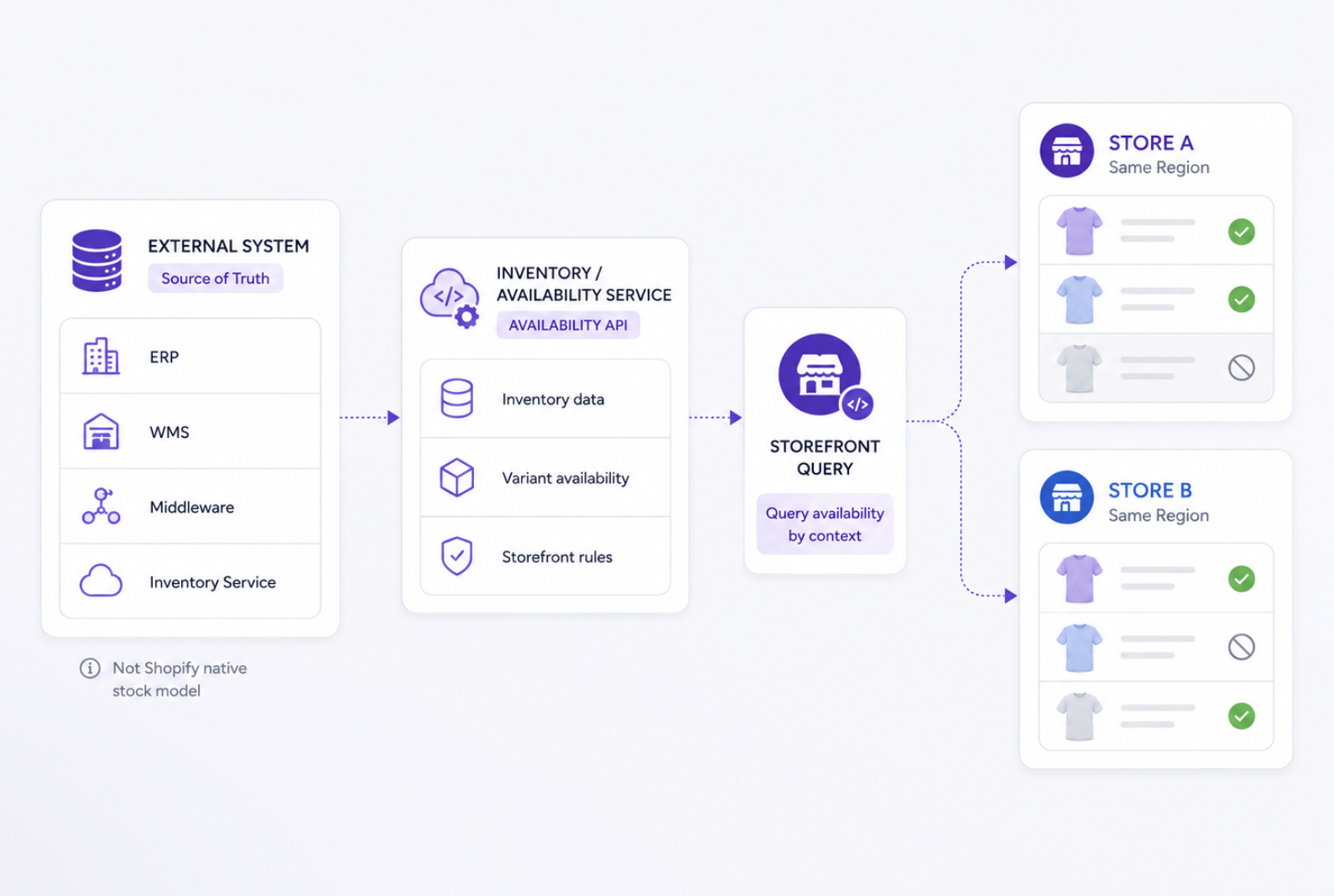
An external system - ERP, WMS, middleware platform, or custom inventory service - becomes the source of truth for inventory rather than Shopify's native stock model. The storefront queries the external system to determine which products or variants should appear available for each storefront context.
Pros
This gives the merchant the most control and can support complex inventory and fulfillment requirements that go beyond what Shopify's native model was built for.
Cons
It is also the most resource-intensive option to implement and maintain. Because availability is determined outside Shopify's standard storefront behavior, search, filters, product recommendations, product pages, and third-party apps may need custom handling to stay accurate and consistent.
The Tradeoff Worth Being Honest About
The limitation is the same across every workaround: inventory logic moves outside Shopify's native model. For a small catalog or a tightly scoped use case, that may be acceptable.
But as the business adds products, apps, fulfillment rules, and storefront changes, the custom logic has to expand with it. Maintenance cost compounds. Edge cases accumulate. What was manageable at launch becomes a recurring engineering problem.
The real decision is not one store versus two stores. It is predictable operational overhead - the kind that comes with two stores - versus custom logic overhead that grows with the business.
Neither path is free. But only one of them keeps Shopify working the way it was designed to.
Have you worked through this problem for a merchant? We'd be curious to hear how you approached it and what you would do differently in this thread on LinkedIn.